
Recently, I embarked on a journey to build a Model Context Protocol (MCP) server for RayDB.io, a high-performance postgres hosting. Here is the process I followed to implement it step-by-step.
What is Model Context Protocol (MCP)?
Model Context Protocol is an open standard that enables AI assistants to securely connect with external data sources and tools. Think of it as a universal adapter that allows language models to interact with databases, APIs, file systems, and other resources in a standardized way.
Key benefits of MCP:
- Standardized integration: One protocol to connect AI to multiple data sources
- Security: Built-in authentication and authorization mechanisms
- Flexibility: Supports various transport layers (stdio, HTTP, SSE)
- Extensibility: Easy to add new tools and resources
Why an MCP Server
In an ever more agent-driven world providing an MCP server gives access to agents to delegate and automate tasks to them. In case of RayDB this provides an easy way to automate management of existing databases, but also an easy way for agents to provision new databases on-demand for new applications.
Architecture Overview
My current architecture is the following:
ray-ui: the UI on top. Written in React.ray-api: the API layer for accessing infrastructure. Written in Go.
Authentication is made through user/password or Google OAuth. The users are stored in a postgres database (with the credentials hashed). There is no OAuth provider (at least yet) that manages users, that is important detail for the implementation.
Process
I used Claude code to help me draft the changes, in this case I used Opus 4.6, in Low effort, without fast mode. I didn't use any of the Agent Teams feature yet, though the shortcomings I had on the process clearly can be improved with Agent Teams, we'll get back to that and I will be testing out Agent teams in the near future.
First iteration
My first iteration for enabling agents to manage databases was to provide a way to create API/MCP tokens and provide those to the agent through a SKILL.md along with the swagger API specs. I provided access with MCP tokens to a small subset of APIs that I deemed safe to start with (read-only access of clusters).
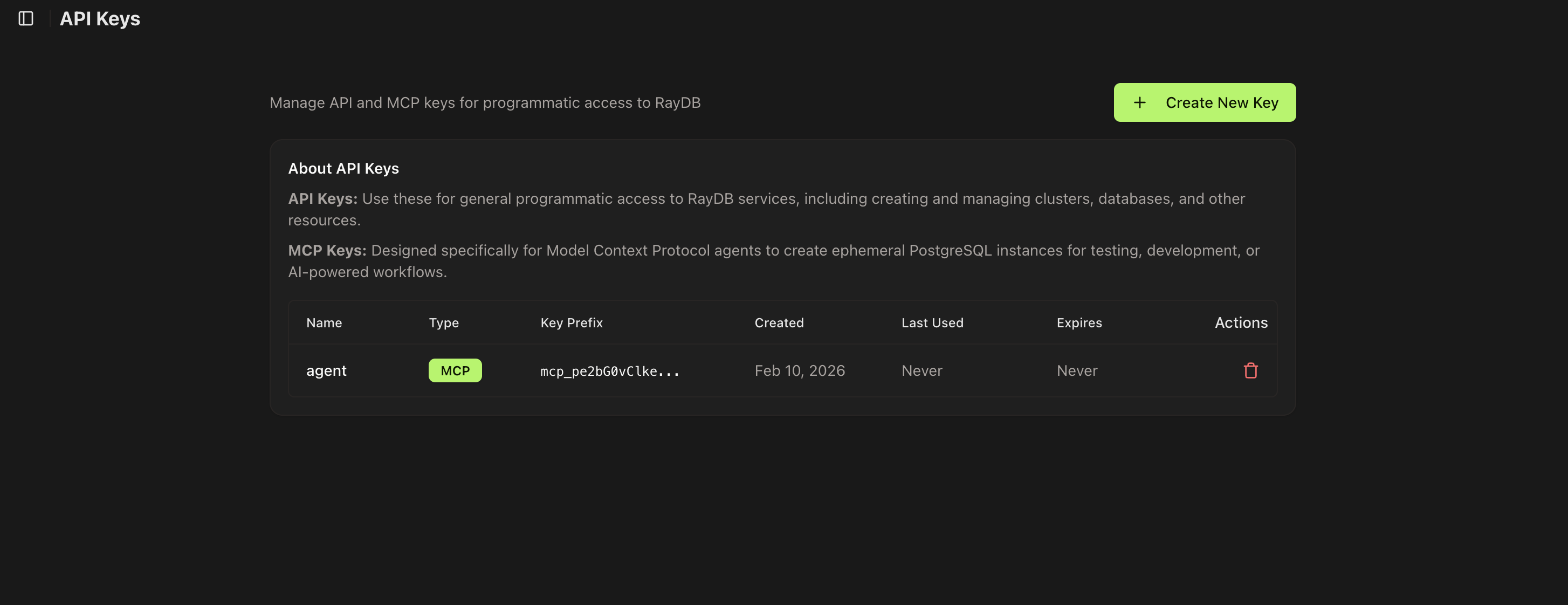
The SKILL then explained how to read MCP token from an environment variable and what's the URL, along with the param specs for each action. It was manual work and brittle. Users would install the SKILL, which in time would drift away from the current spec and break, while also the SKILL basically enabled agents to do curl commands on console while exposing the credential as it would need to be part of the curl command.
Second Iteration
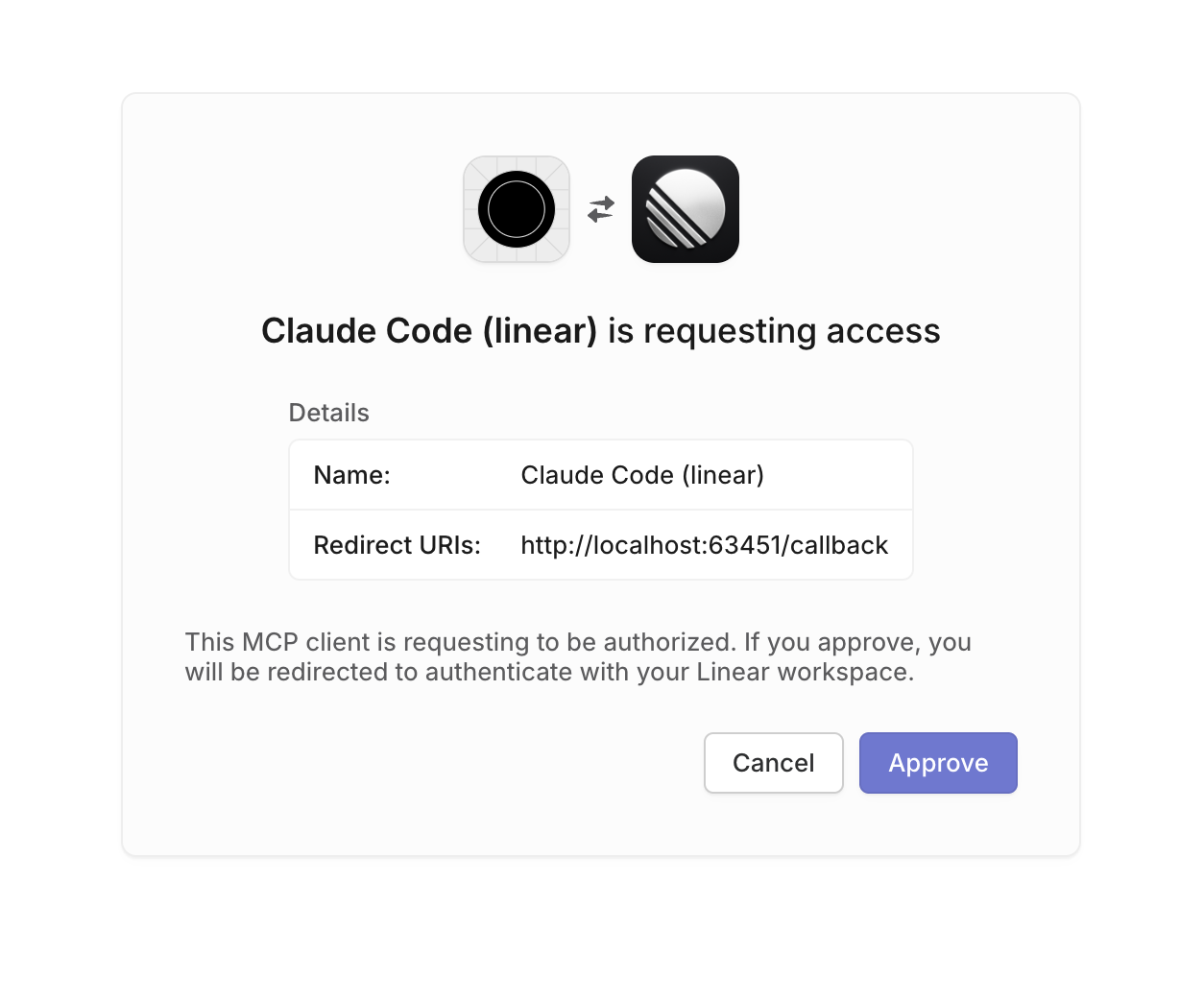
With Claude you can use MCP servers instead of skill to integrate with services. I was inspired by the Linear MCP which provides a token-less authentication workflow simply by doing a web auth. The CLI (I use Claude CLI) once you provide the MCP server it asks for authentication which opens a web browser and asks for credentials. Once you approve access it can then access the API.
Implementation
MCP is composed by three components:
- MCP Server: An external program or service that exposes specific tools, data (resources), or prompts to MCP clients via a standardized interface.
- MCP Client: A specialized component instantiated by the host to maintain a dedicated connection with a specific MCP server. It acts as a messenger and translator between the host and server.
- MCP Host: The main AI application that manages the user experience and orchestrates tasks. It decides which external capabilities it needs.
In my example MCP Host is Claude, MCP Client is the installed mcp on Claude and MCP Server is an mcp proxy that could be installed either locally or on the server side. In order to make it easier for users to onboard the MCP server is deployed alongside the rest of the RayDB infra and the end-users only need to install the MCP client, which can be done with one command.
MCP component
The MCP Server can be written in any language, I chose typescript for flexibility.
On the API I use swagger specs so in order to generate the tools I just passed the swagger.json specs to the agent to build an initial list, but in order to avoid the maintenance burden, I opted to generate them dynamically by fetching from the API the swagger.json parse it and build the list on runtime with caching and TTL to refresh. Seems complicated but it takes literally 5 mins nowdays.
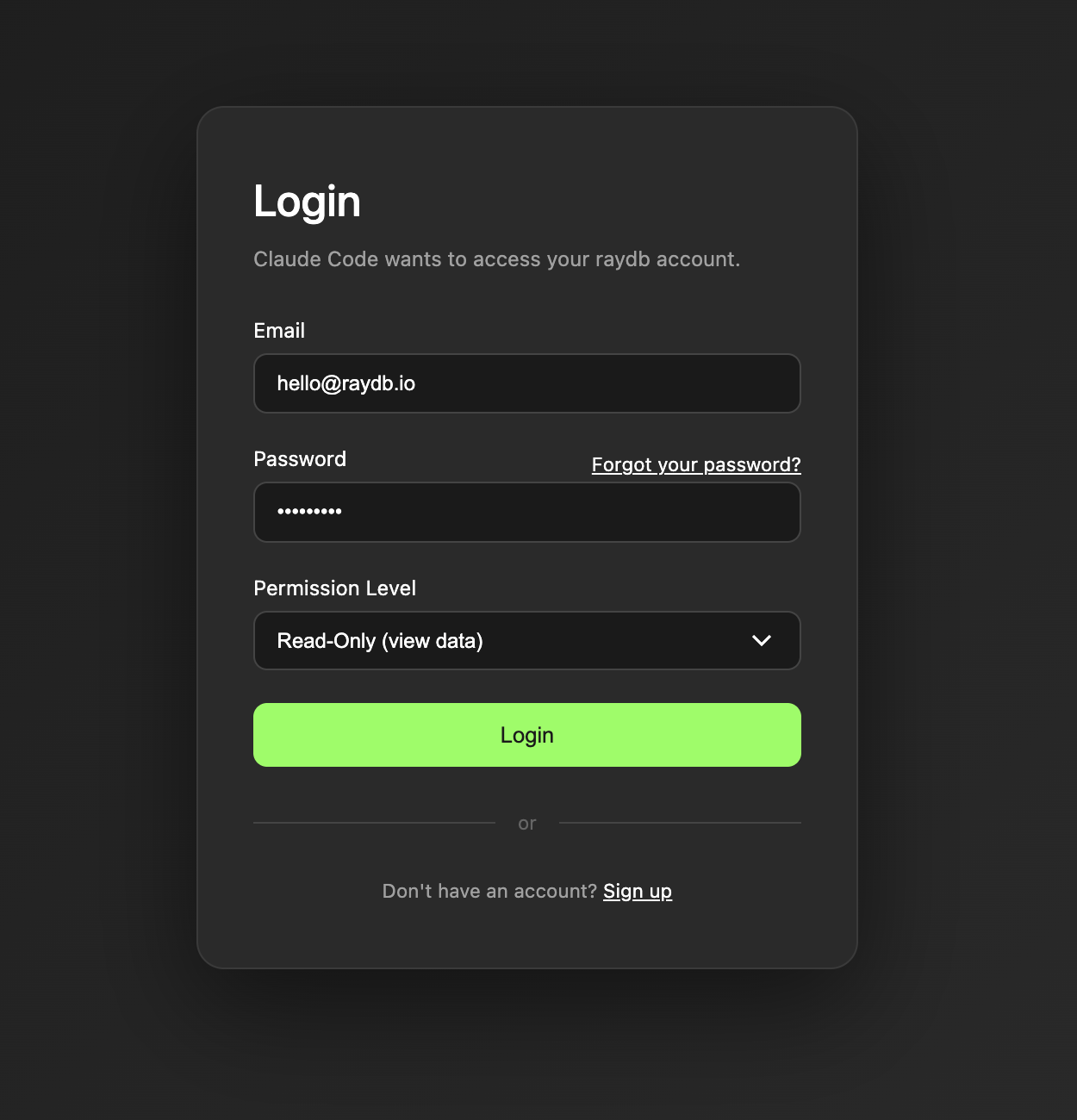
I embedded a login screen on the MCP server to avoid needing UI components in the MCP workflow:
Permission levels are handled using OAuth scopes. There are three:
- Read-only: Can only view items
- Write: Can create and update items but cannot delete
- Admin: Has full access to create, update and delete items
The MCP was deployed under a separate host and CORS was configured on API to enable access through the new host.
API component
In my case I don't have an OAuth provider (such as auth0 or clerk), to have an Oauth workflow with approval window, but I can still implement a login workflow with my own API and that's what I did.
I had to add the following routes to the API in order to provde the necessary steps to do OAuth:
// OAuth (public)
  oauthController := apis.NewOAuthController(sc, cc.Web, cc.JWT)
  r.Group("/oauth").
          GET("authorize", oauthController.Authorize).
          POST("token", oauthController.Token)
  // OAuth authorize confirm (authenticated - called by frontend)
  r.Group("/oauth").
          Use(jwtMiddleware).
          POST("authorize", oauthController.AuthorizeConfirm)
  // Well-known
  r.GET("/.well-known/oauth-authorization-server", oauthController.Metadata)
The new APIs:
[GET] /oauth/authorize: Redirects the user to the frontend login/consent page.[POST] /oauth/token: Supportsgrant_type=authorization_codeandgrant_type=refresh_token.[POST] /oauth/authorize: Called by the frontend after user consents. Creates an authorization code.
The Workflow
With everything in place the onboard now is just an one-liner:
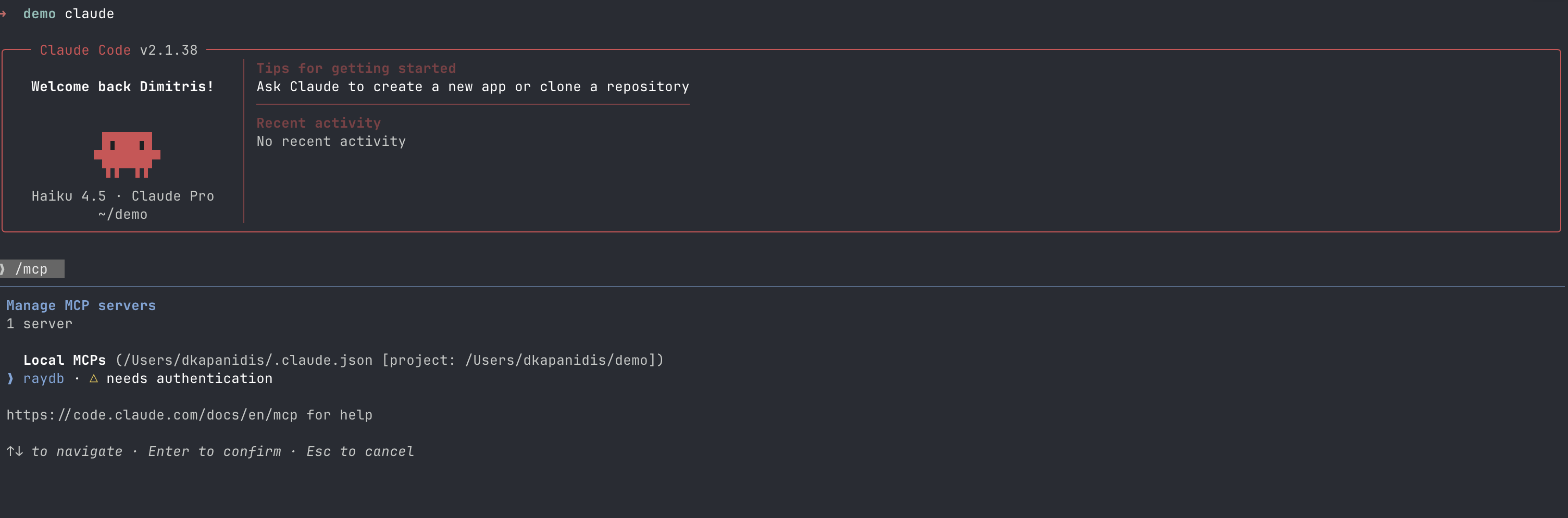
claude mcp add --transport http raydb https://mcp.raydb.io/mcpOnce you start Claude you can go to the MCP tools and authenticate:
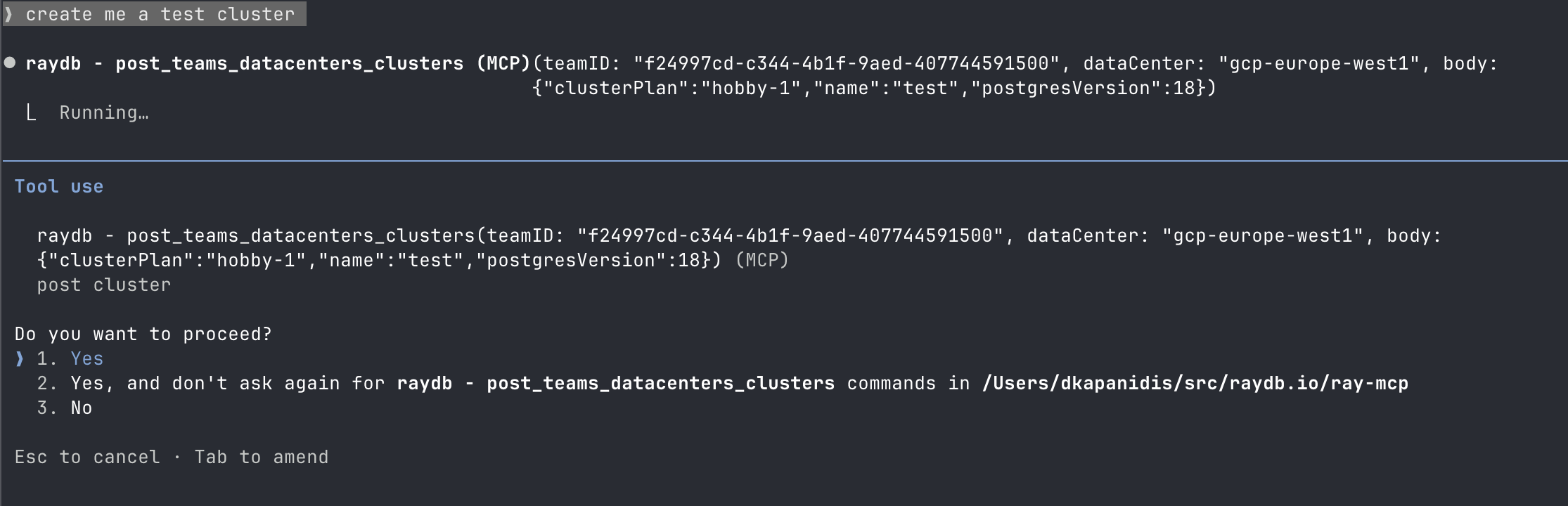
When you want to perform an action, Claude will ask for approval:
If the action can be performed, it will respond:
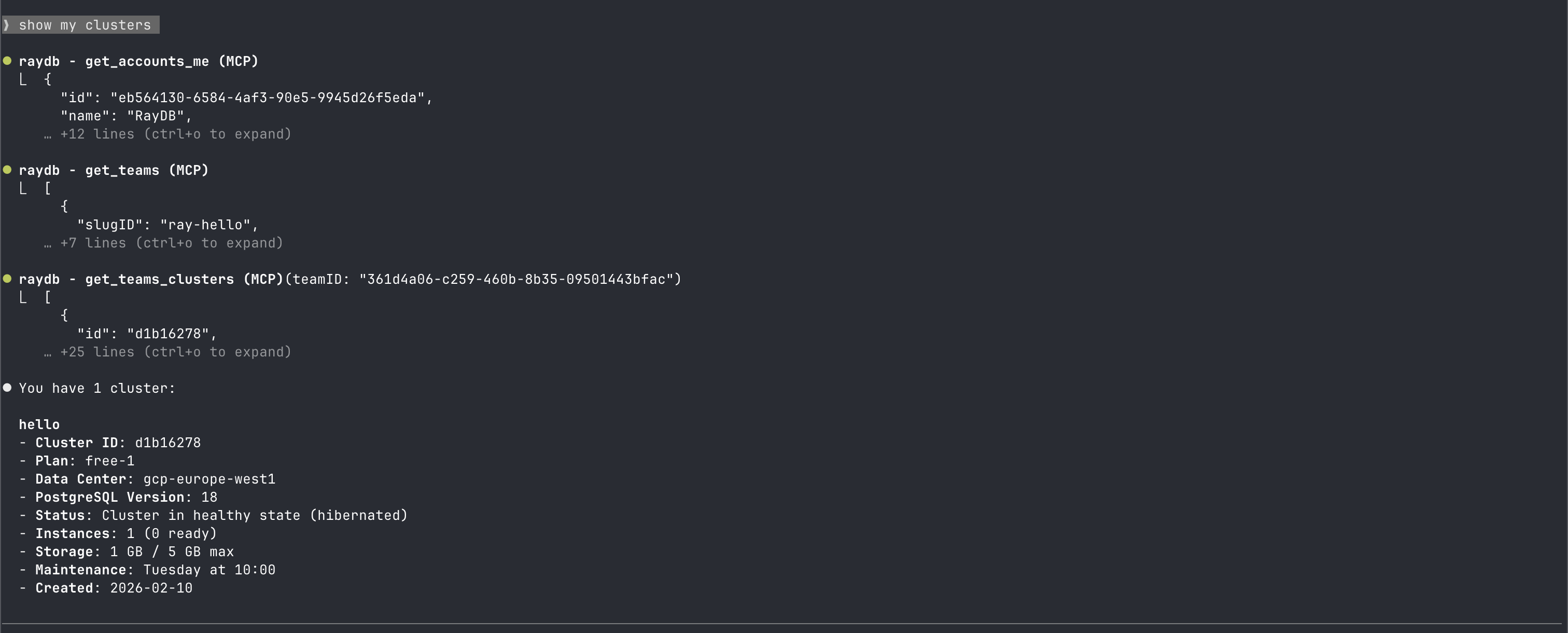
If the action cannot be performed due to insufficient scope, it will return an error:

Conclusion
With the above solution, the MCP server is just a thin proxy without any maintenance burden since it dynamically updates. Users don't need to update anything when APIs change, and they don't need to handle API keys.
The process took me about a day, and Claude helped me with most of the grunt work, but it was not straight forward because of the coordination between multiple repositories. When I have claude sessions they are restricted per repo and I have to do the context passing myself. This is an area where Claude Agent Teams can help coordination between cross-repo changes. I'm also using Linear as my issue tracker and want to integrate it in the development workflow. I added the Linear MCP for this, but at the moment I explicitely need to ask to fill out the issue before and after or I simply do it myself. Ideally I would like to be able to draft an cross-repo issue on Linear, have an agent detail the issue and split it in sub-issues per repo, and handover the sub-issues to agents responsible for each repo to do the implementation which I can then review and tweek further before merging.
I will follow up with more details about agent teams once I test it out.